Use the CLI
Install the read-only kyzen command and read feeds, indices, blocks and contracts from a terminal.
#You need
- Node.js 20 or later, with npm (node --version shows it)
- A terminal: Terminal on a Mac, Windows Terminal, or any Linux terminal
- No wallet, no keys and no $KYZN: the CLI only reads
#Install
One command installs kyzen, ready in any folder:
Install
npm i -g kyzen-cliIt installs the kyzen command. Without the npm registry, the same package comes straight from the site: npm i -g https://kyzen.network/dl/kyzen-0.1.0.tgz. To remove it later: npm rm -g kyzen-cli. Every command and option, in one table: CLI.
#Steps
- 01Open the helpRun
kyzenon its own. It prints the banner, the commands and the options.kyzen --helpprints the same.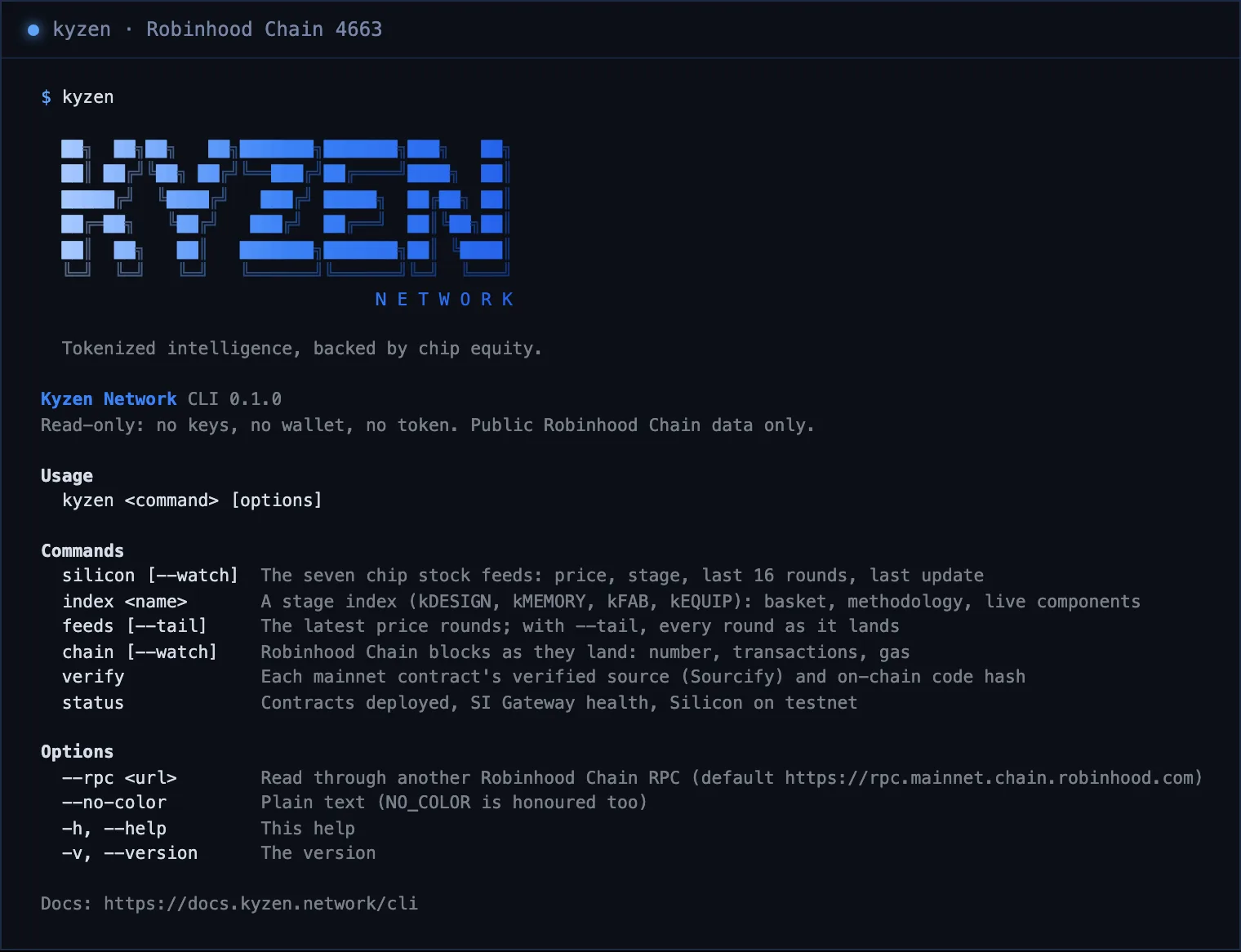
The CLI's own output on Robinhood Chain mainnet. - 02Read the chip stock feedsRun
kyzen silicon: the seven stocks the Reserve holds or rotates into, each with its stage, price, its last 16 Chainlink rounds as a sparkline, its move over them and its last update. Add--watchto refresh it every 15 seconds.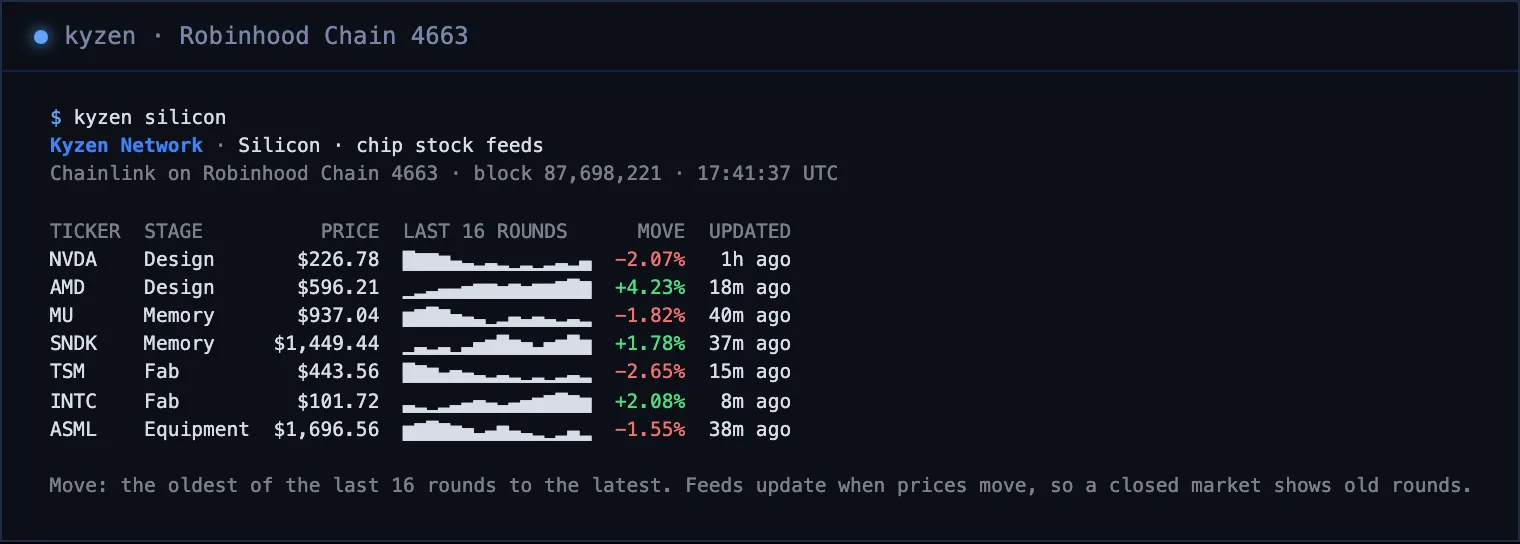
The CLI's own output on Robinhood Chain mainnet. - 03Look inside a stage indexRun
kyzen index kmemory, orkdesign,kfab,kequip. It lists the basket with each component’s feed, price and move over 24 hours and 7 days, then the methodology in short and the full text’s address. It shows no index level until Silicon is deployed on mainnet.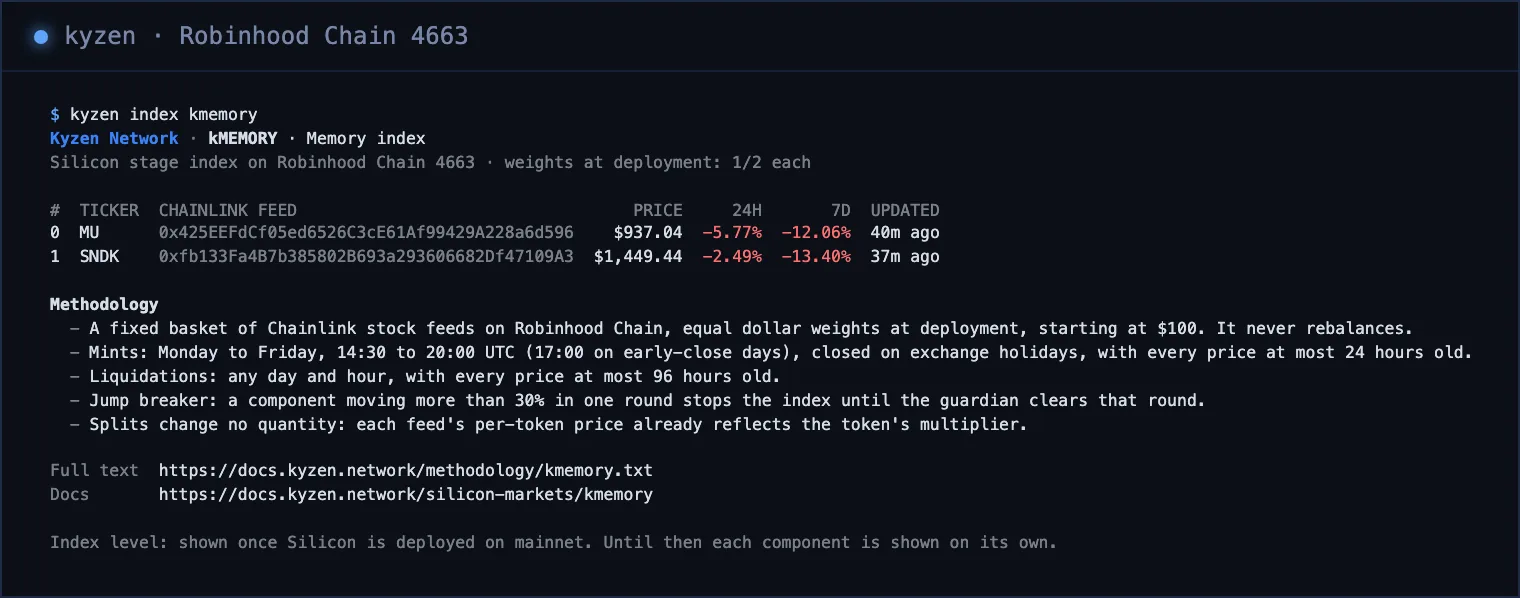
The CLI's own output on Robinhood Chain mainnet. - 04Follow the price roundsRun
kyzen feedsfor the latest round of each feed. With--tailit keeps running and prints each new round as it lands, checked every 10 seconds; Ctrl+C stops it.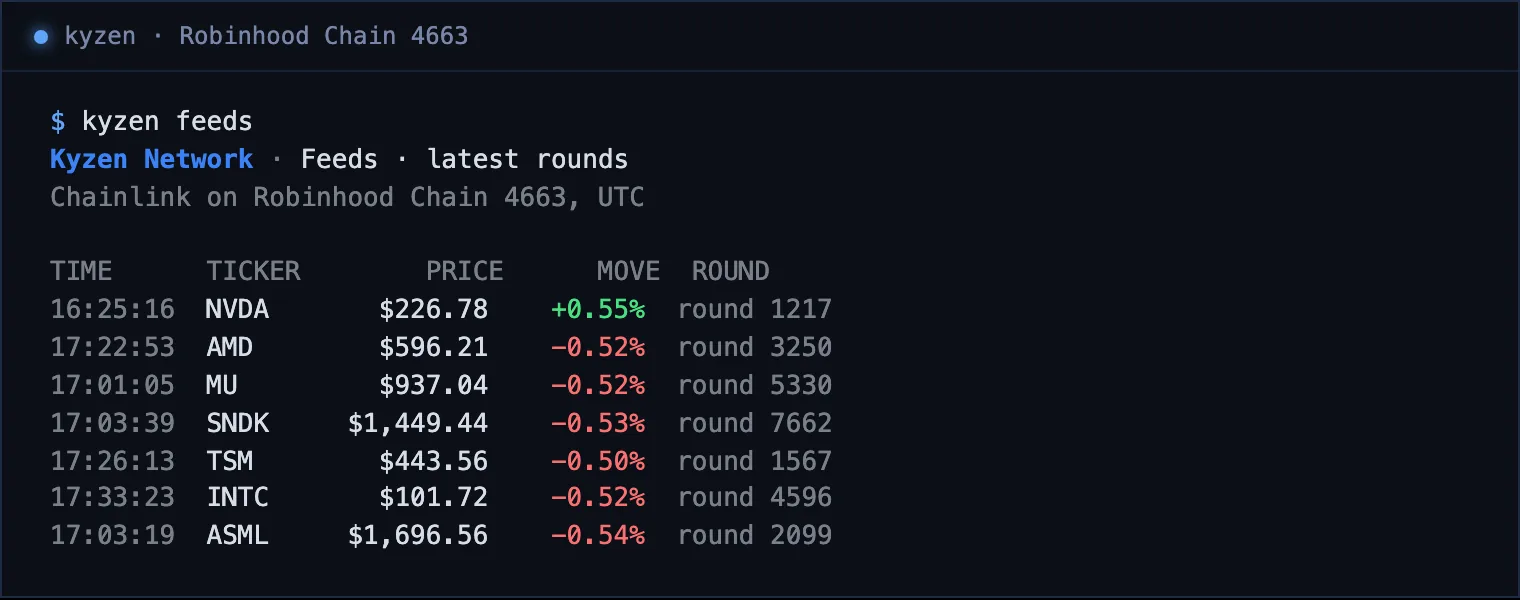
The CLI's own output on Robinhood Chain mainnet. - 05Watch the chainRun
kyzen chain --watch. Robinhood Chain makes about ten blocks a second; each line is one block: its number, time, transactions, gas used and base fee. Ctrl+C stops it.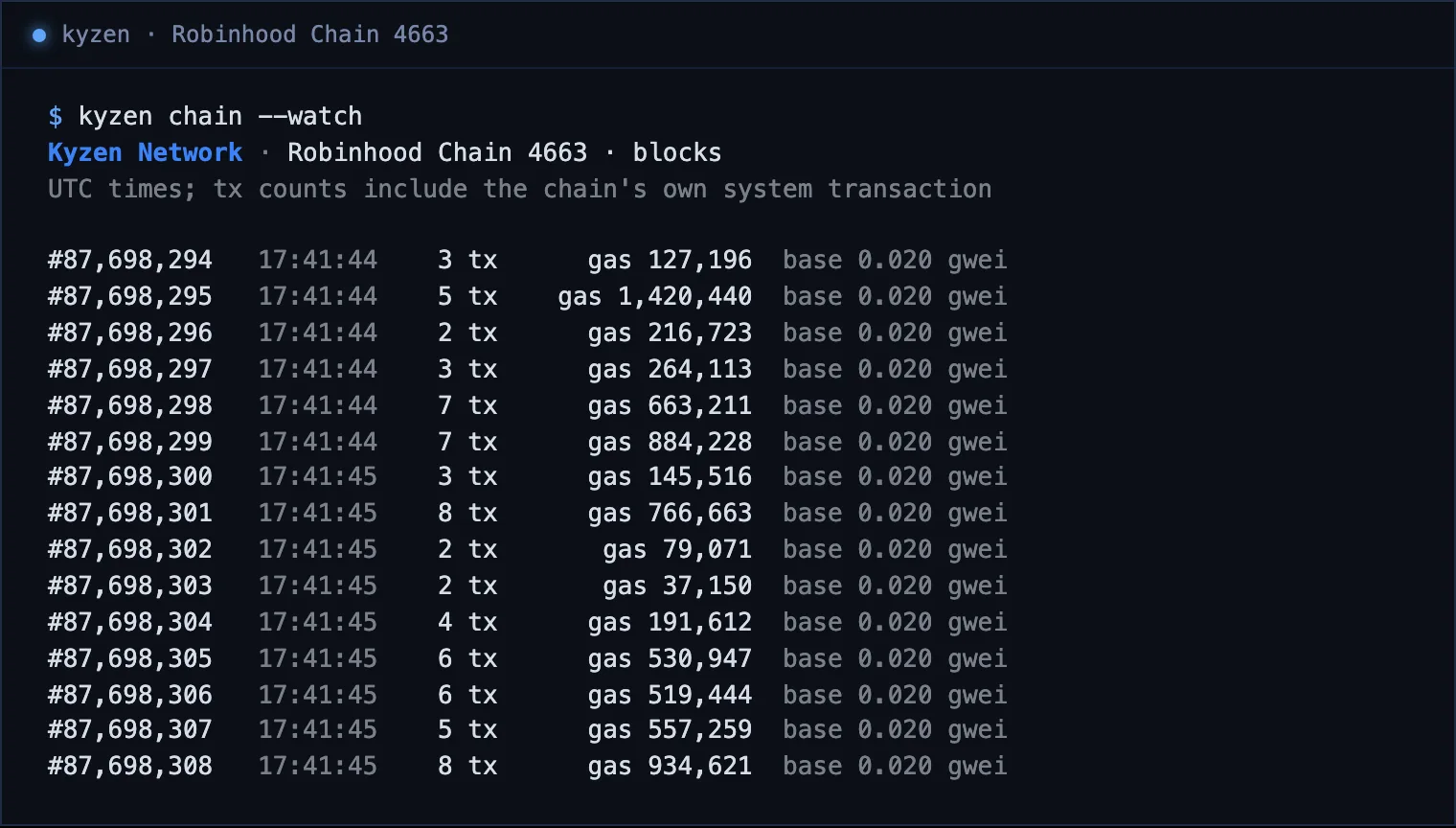
The CLI's own output on Robinhood Chain mainnet. - 06Verify the contractsRun
kyzen verify. For each mainnet Kyzen Network contract it reads the source Sourcify verified and the hash of the code on chain now, and passes the contract when the two match.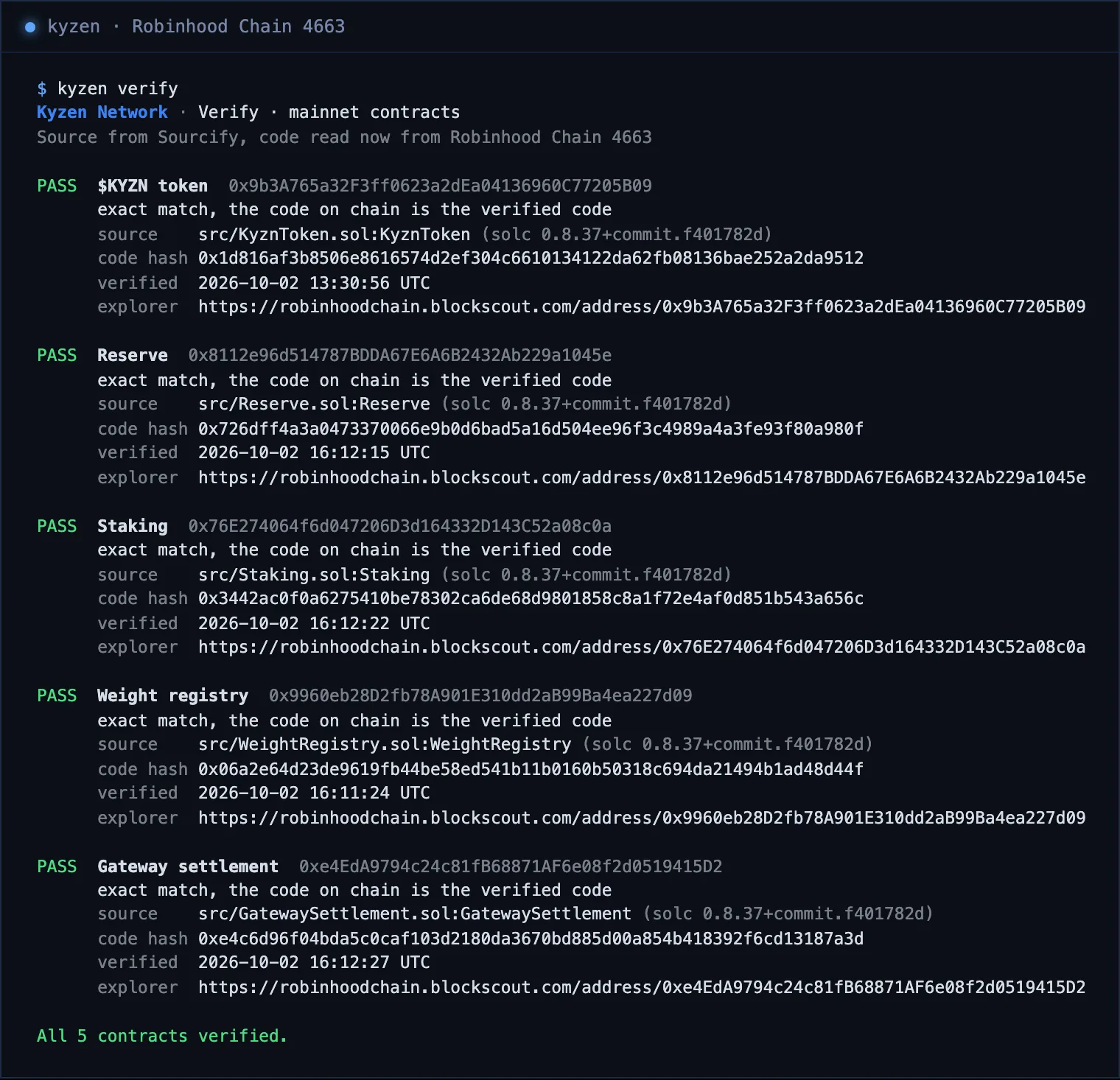
The CLI's own output on Robinhood Chain mainnet. - 07Check the statusRun
kyzen status: the chain’s latest block, the five contracts deployed, the SI Gateway’s health, and the Silicon markets on mainnet and on testnet.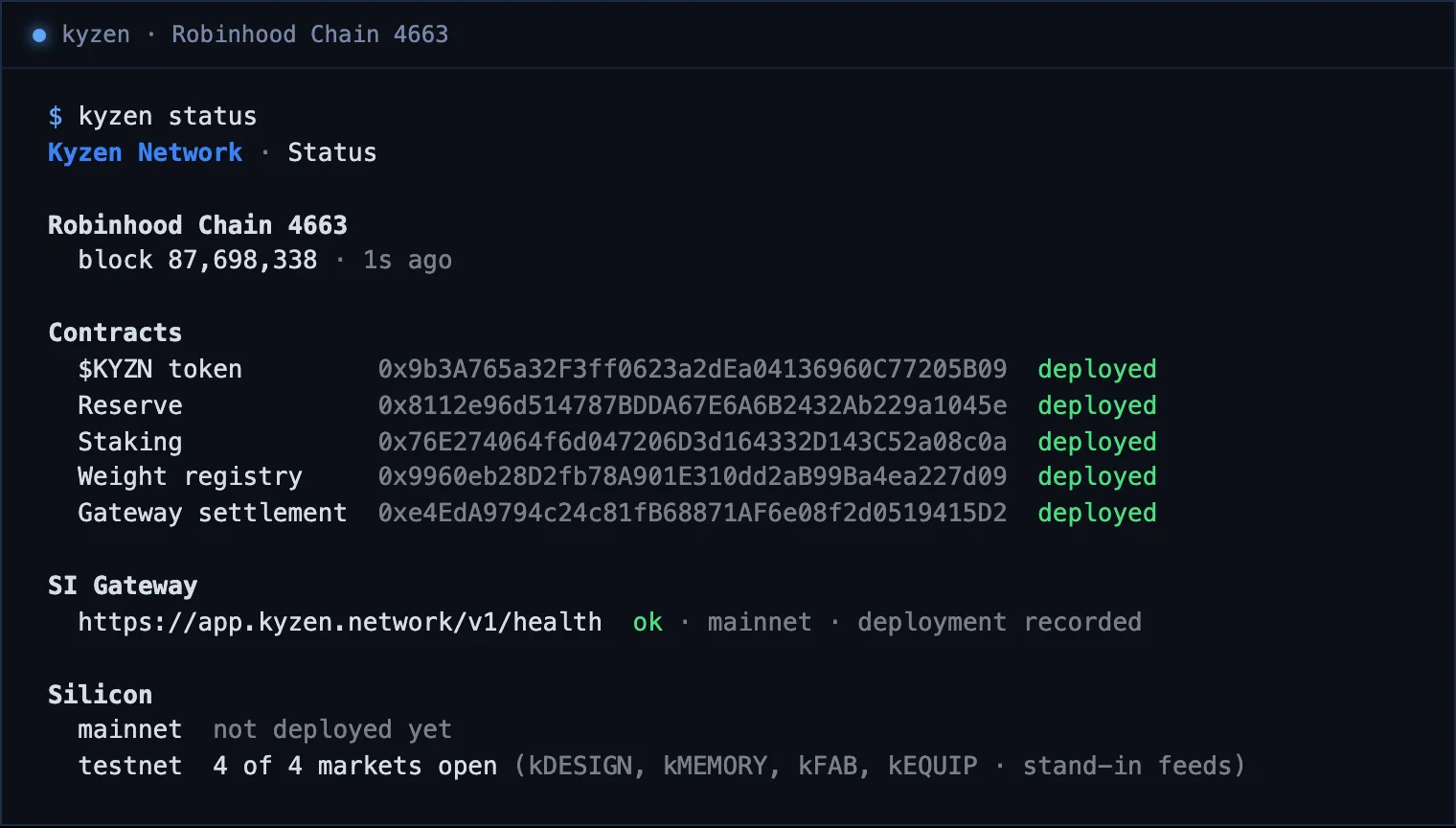
The CLI's own output on Robinhood Chain mainnet.
A refused read prints one plain line, not an error dump: the public RPC limits bursts, so wait a minute, or pass --rpc <url> to read through another Robinhood Chain RPC.