Redeem against the Reserve
Burn $KYZN for a share of the Reserve, with the exact preview first.
#You need
- $KYZN in the wallet, unstaked: staked $KYZN cannot be redeemed
- A wallet connected on Robinhood Chain
- ETH for gas: one or two transactions
- A visit from outside the United States, Canada, the United Kingdom and Switzerland
To unstake first, see Stake and unstake. The rules in full: Redemption.
#Steps
- 01Open RedeemOpen Redeem in the app. The card reads Backing − 2%. Enter the amount in $KYZN to burn; your wallet balance shows above it, and Max fills in all of it.
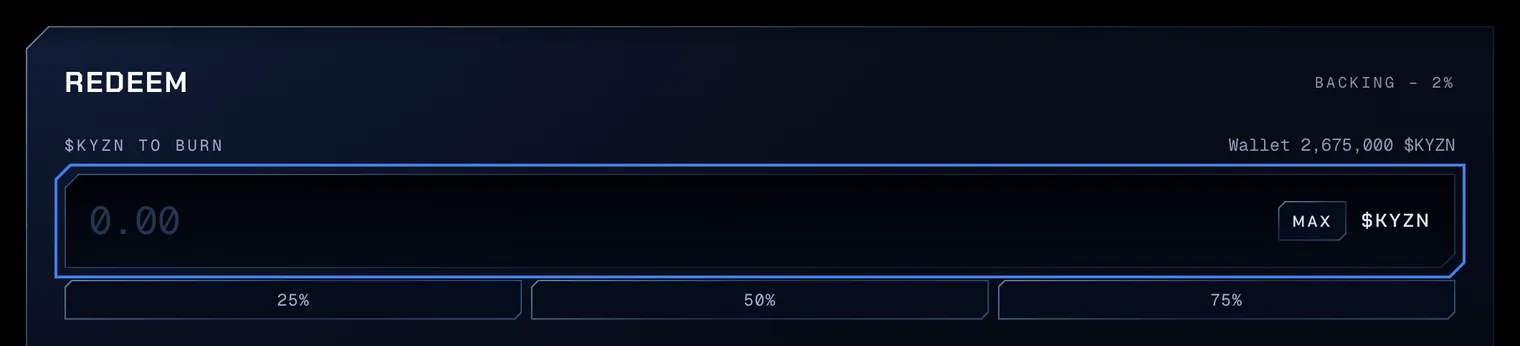
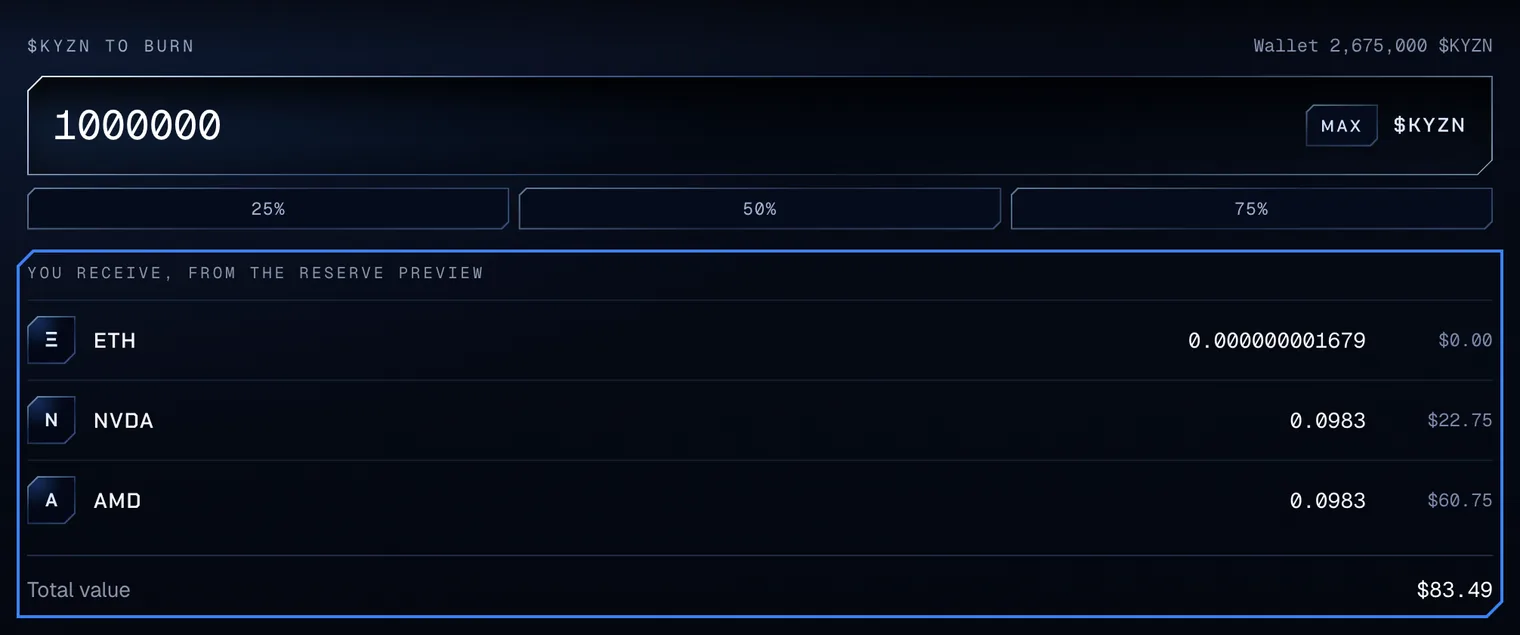
Test amounts on Robinhood Chain testnet. - 02Read the exact previewWith an amount typed, the app reads the Reserve’s own preview for it. You receive, from the Reserve preview lists every asset the redemption pays, ETH and each stock token, with its value in dollars and the total. The preview reads the Reserve as it stands: a purchase or a redemption confirmed before yours moves the amounts.
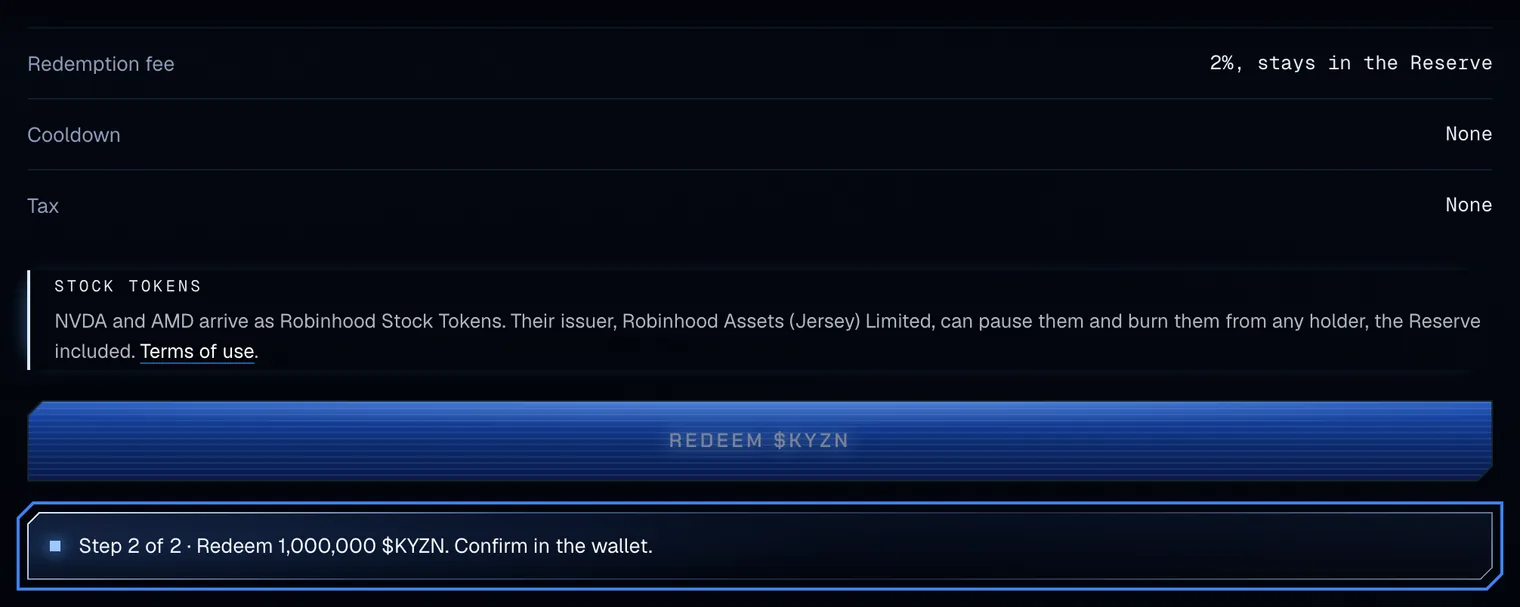
Test amounts on Robinhood Chain testnet. - 03RedeemBelow the preview, Redemption fee reads 2%, stays in the Reserve; Cooldown and Tax read None. Press Redeem $KYZN. When the Reserve’s allowance is below the amount, the wallet asks for two transactions: step 1 of 2 approves exactly the amount for the Reserve, and step 2 of 2 redeems.
Test amounts on Robinhood Chain testnet. - 04Read the resultOnce the redemption confirms, the line lists what arrived: Redeemed 1,000,000 $KYZN. Received 0.000000001679 ETH, 0.0983 NVDA and 0.0983 AMD. The ETH and the stock tokens are in your wallet, and the $KYZN is burned.

Test amounts on Robinhood Chain testnet.
#What you receive
Redemption pays in kind: of every Reserve asset, ETH included, the share that the amount burned is of the total supply, less 2%. The 2% stays in the Reserve.
| Rule | Value |
|---|---|
| Paid in | Every stock token the Reserve holds, and its ETH |
| Fee | 2%, kept by the Reserve |
| Cooldown | None |
| Tax | None |
| A paused stock token | Its share is recorded as a claim; every other asset pays at once |
Stock tokens are ERC-20 tokens with 18 decimals. To see them in the wallet, add each one by its address: NVDA 0xd0601C·0D9EEC, AMD 0x86923f·023fdC. Every stock token the Reserve can hold is listed in Holdings by stage.
When the issuer pauses a stock token, the line adds Recorded as a claim with its amount. Asset claims, under the button, lists each claim with Claim, which pays once the token transfers again.