Mint a stage index
Deposit $KYZN and USDG, mint an index synthetic, then repay and withdraw.
#You need
- A wallet connected on Robinhood Chain
- $KYZN for at least half of the collateral's value, and USDG for any of the rest
- ETH for gas: up to three transactions to deposit, one for each other step
- A visit from outside the United States, Canada, the United Kingdom and Switzerland
Connect first with Connect a wallet. The rules in full: Positions hold 150% collateral, and each index’s page, such as the Design index.
#Deposit collateral
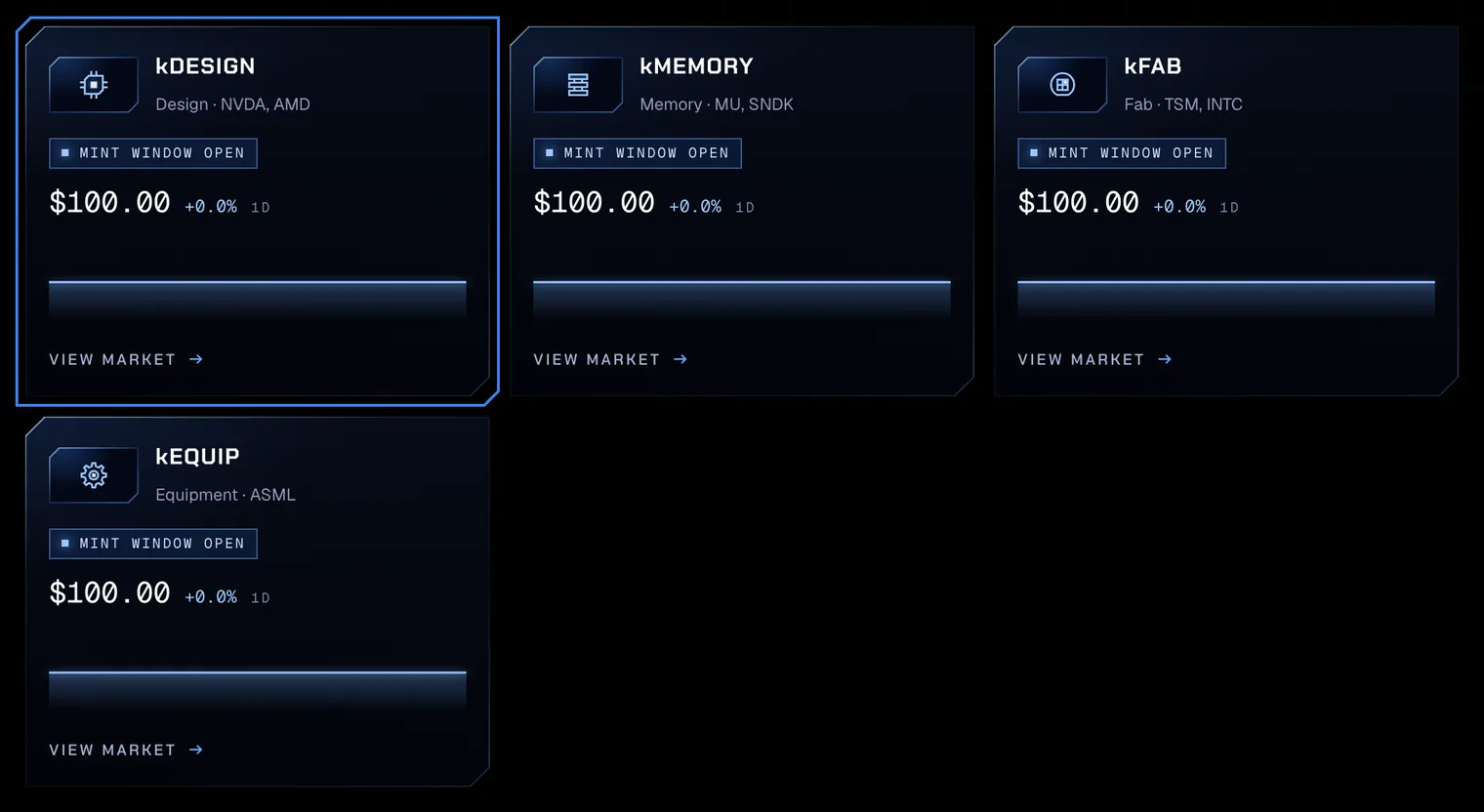
- 01Open the marketOpen Markets in the app. The four stage indices head the synthetics, each with its basket and its index price. Press Mint on the index’s row: its panel opens above the list.
Test amounts on Robinhood Chain testnet. - 02Enter the collateralOn Deposit, enter the $KYZN and the USDG to deposit; either may be zero. Each field shows your wallet’s balance above it. The rows show the position after the deposit: the collateral and its $KYZN share, which must be at least 50% once the position owes anything. Press Deposit collateral.
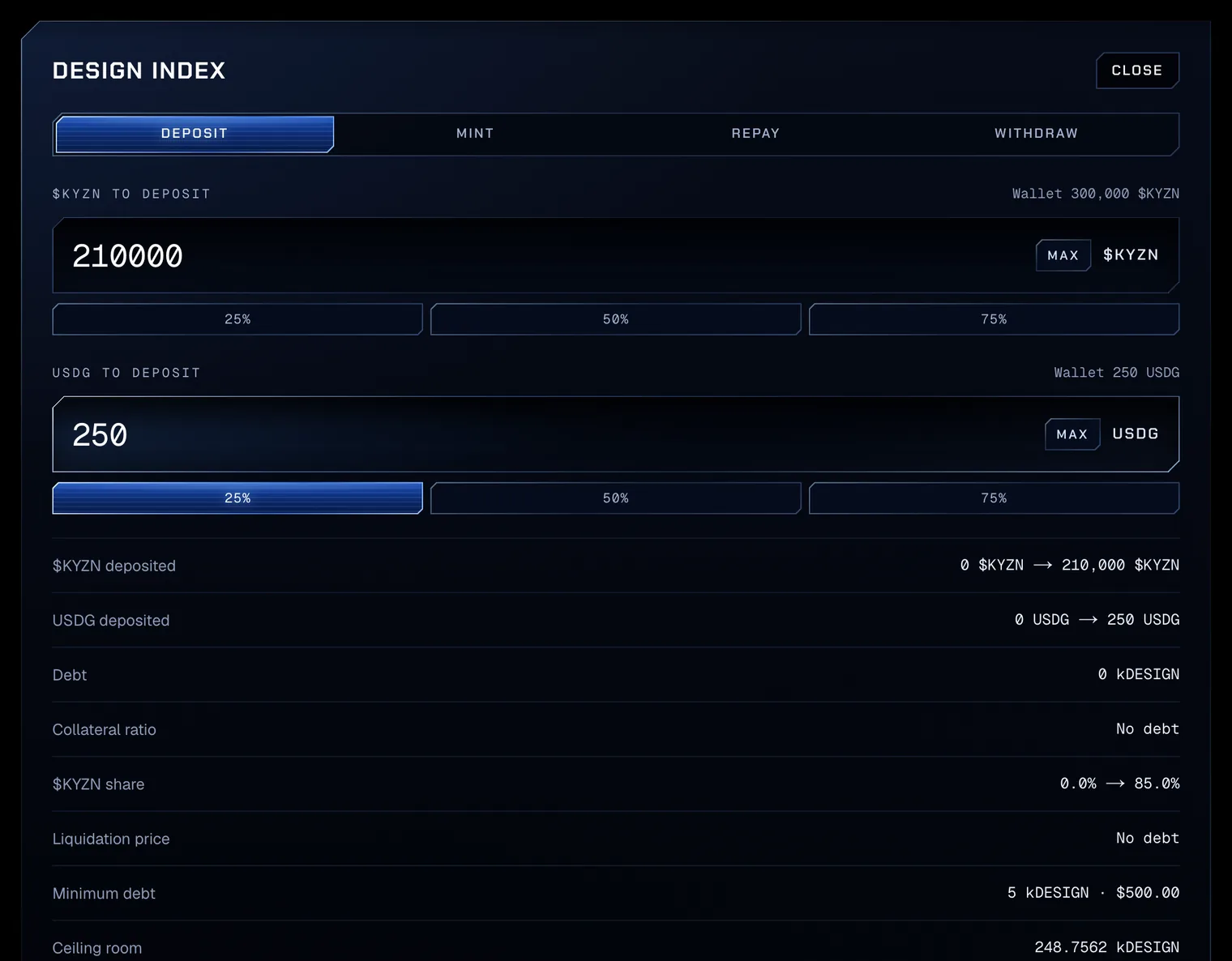
Test amounts on Robinhood Chain testnet. - 03Approve and depositEach collateral whose allowance to the Silicon vault is below its amount is approved first, for exactly that amount: the line reads Step 1 of 3 · Approve 210,000 $KYZN for the Silicon vault, then Step 2 of 3 · Approve 250 USDG for the Silicon vault. The last step deposits. Once it confirms, the line reads Deposited 210,000 $KYZN and 250 USDG in the kDESIGN market. Deposits read no price, so they work at any hour.
#Mint
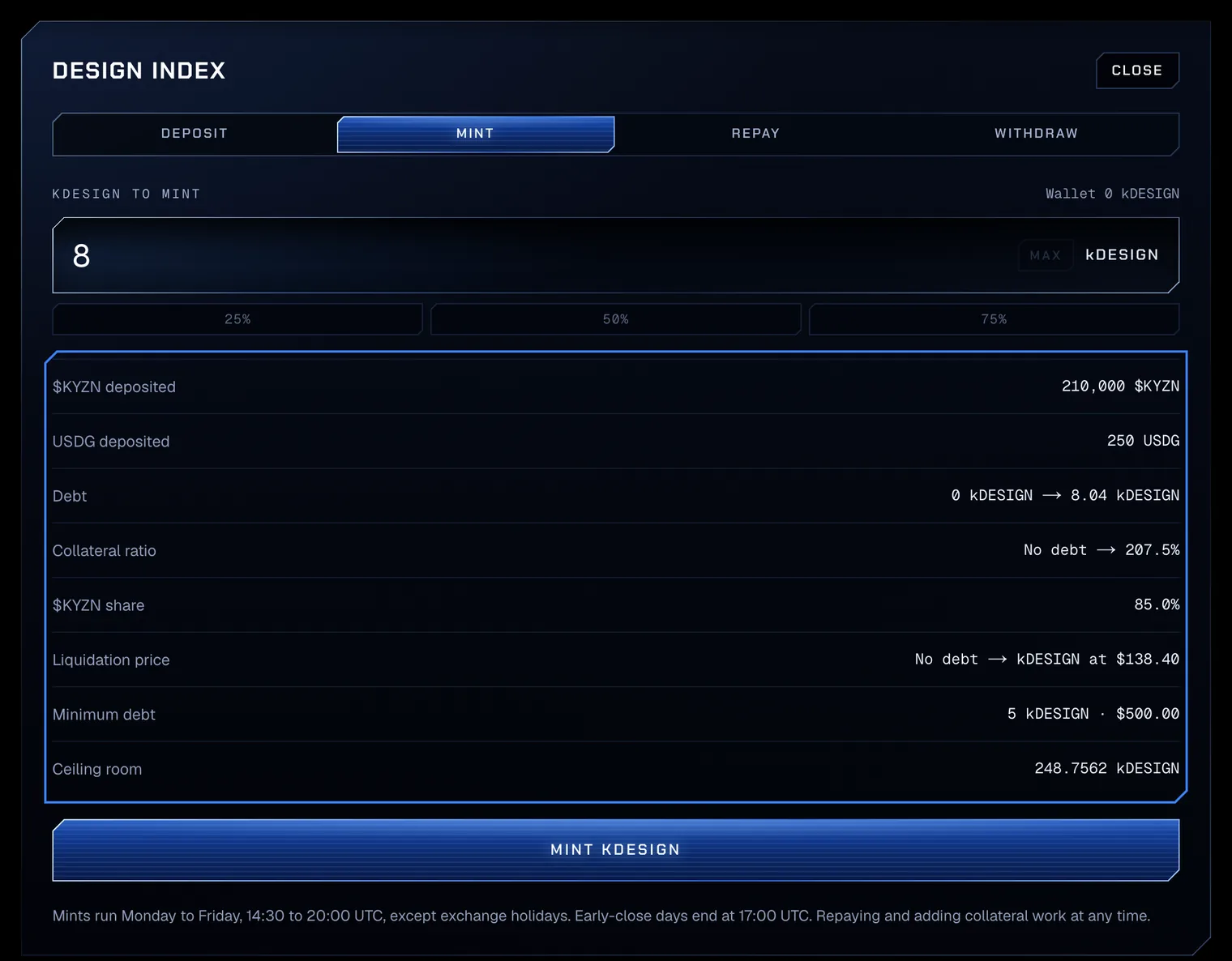
- 04Enter the amountChoose Mint and type the synthetic to mint. The rows show the position after the mint: the debt with the 0.5% mint fee added, the collateral ratio, and the Liquidation price, the index price at which the ratio would reach 150%. Press Mint kDESIGN.
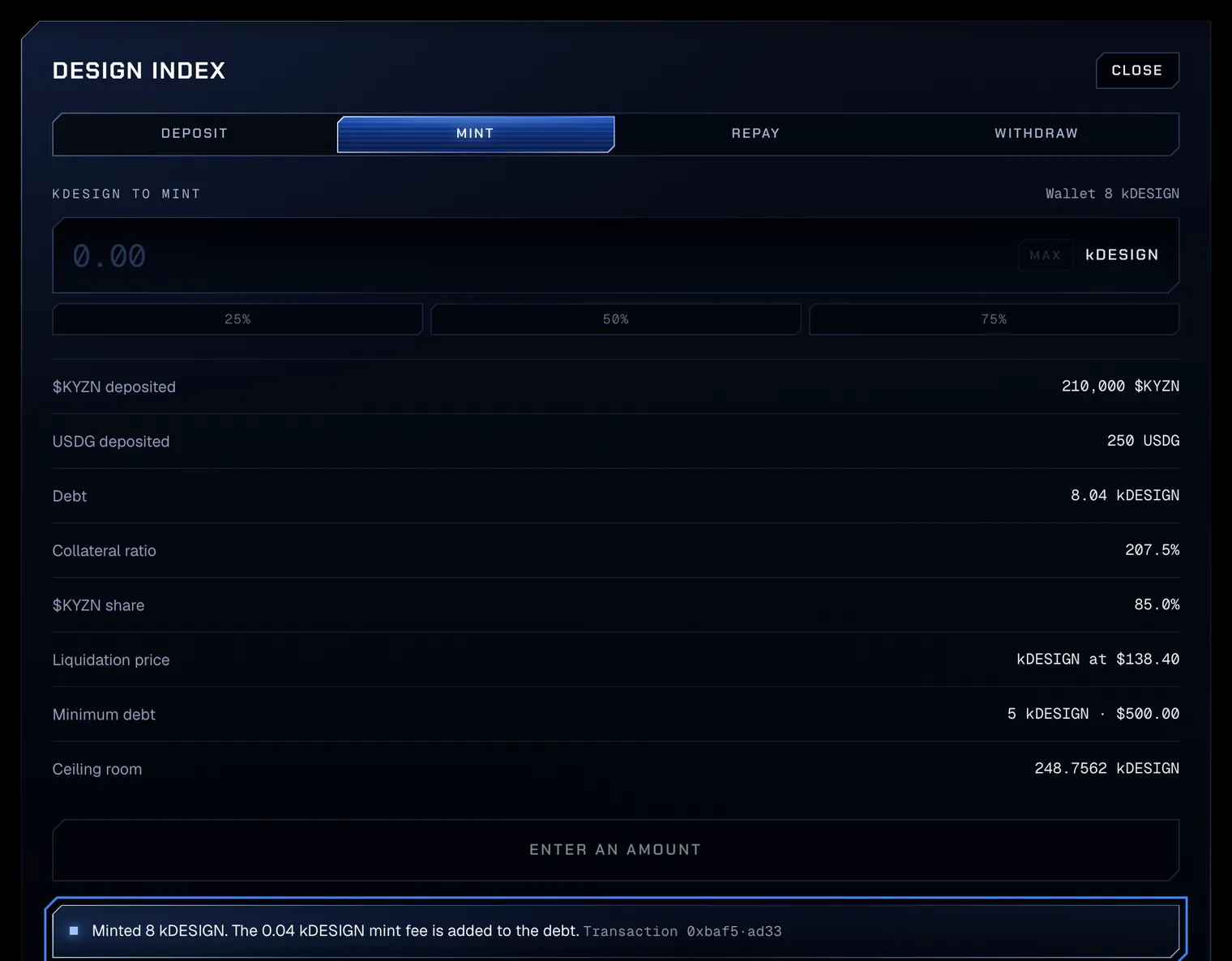
Test amounts on Robinhood Chain testnet. - 05Read the positionOnce the mint confirms, the line reads Minted 8 kDESIGN. The 0.04 kDESIGN mint fee is added to the debt. The synthetic is in your wallet, and the rows read the position: the debt, the ratio and the liquidation price. The borrow fee, 12% a year, accrues on the debt every second.
Test amounts on Robinhood Chain testnet.
Before anything is sent, the app checks the mint as the vault will and refuses one it would refuse, with the vault’s own sentence: Collateral ratio 148.0%. Minimum is 150.0%. Add $KYZN or USDG. It refuses as well a mint that leaves $KYZN below 50% of the collateral, a debt above zero and below the minimum, or more than the room under the debt ceiling.
#Repay and withdraw
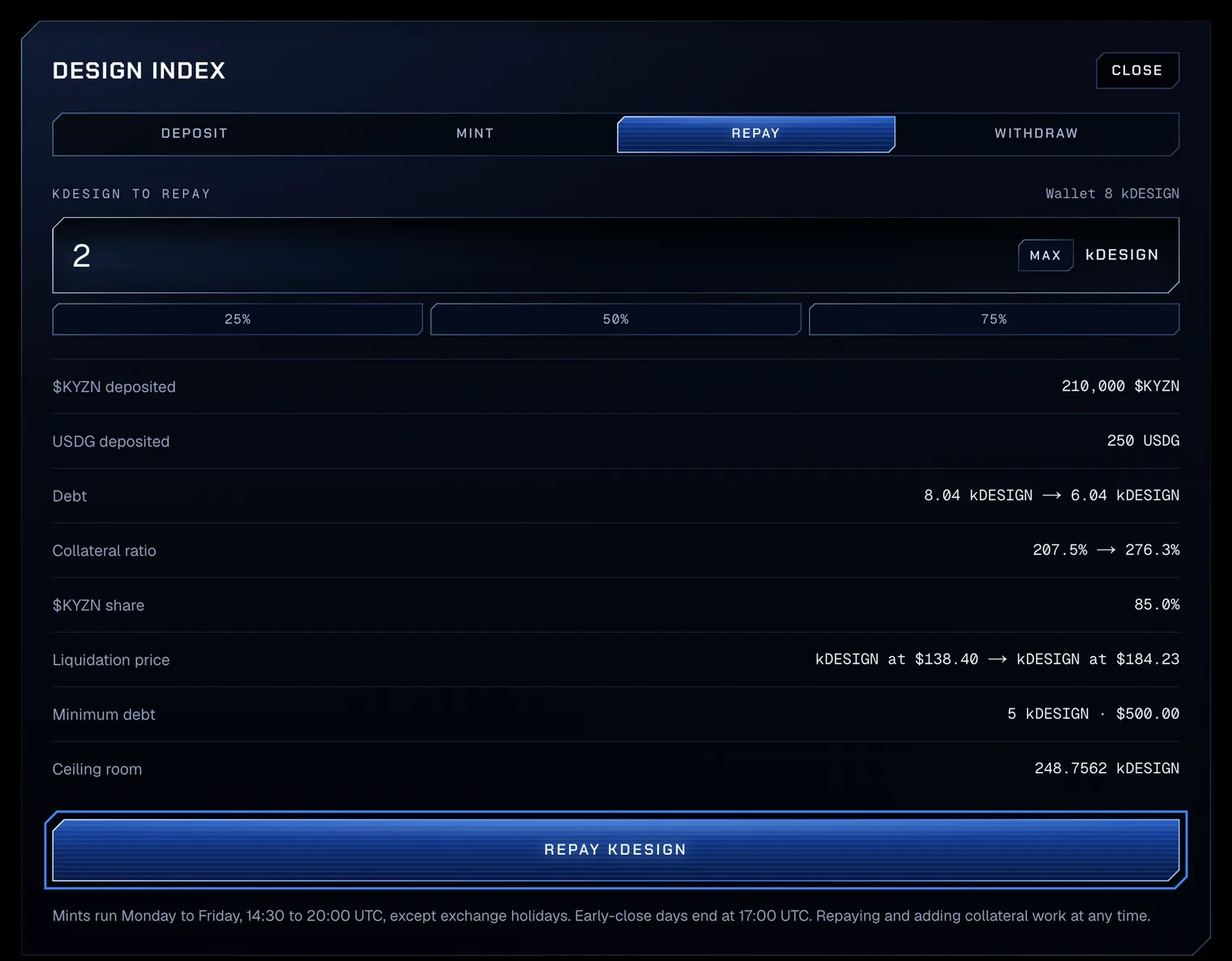
- 06RepayChoose Repay and enter the synthetic to repay; Max fills in the whole debt, with a margin for the borrow fee, up to what the wallet holds. Repaying burns the synthetic from your wallet, so it needs no approval, and it works at any hour. Press Repay kDESIGN; once it confirms, the line reads Repaid 2 kDESIGN.
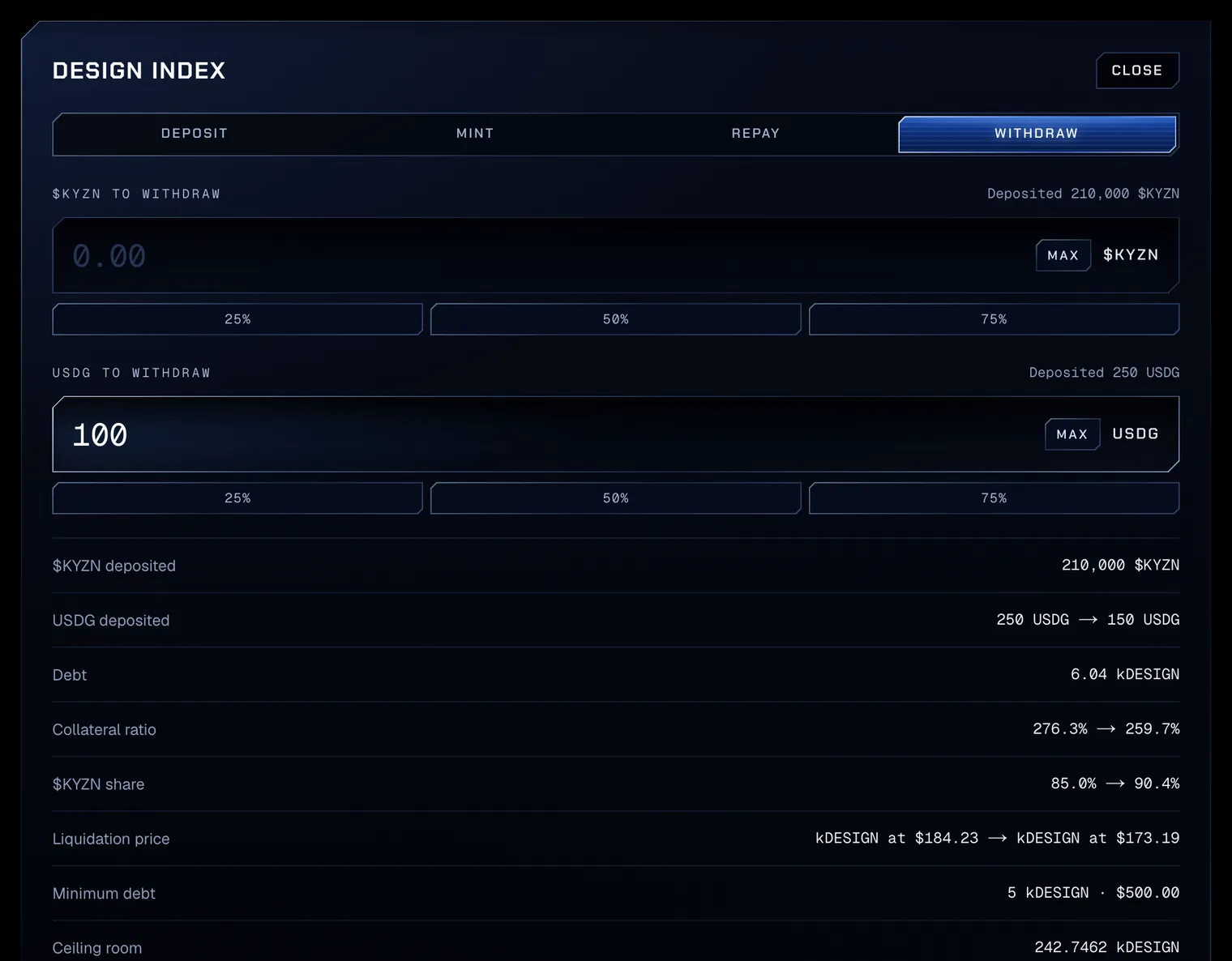
Test amounts on Robinhood Chain testnet. - 07WithdrawChoose Withdraw and enter the $KYZN and the USDG to take out. While the position owes synthetic, what is left must stay at or above 150% with at least 50% $KYZN, and the withdrawal waits for the mint hours. Press Withdraw collateral; once it confirms, the line reads Withdrew 100 USDG from the kDESIGN market.
Test amounts on Robinhood Chain testnet.
Repaying needs the synthetic in the wallet. A minter owes the mint fee and the borrow fee on top of what it received, so repaying in full takes more synthetic than was minted: buy the rest in the market’s pool against USDG. A part repayment must leave at least the minimum debt. Once nothing is owed, every withdrawal works at any hour.
#What the vault checks
| Rule | Value |
|---|---|
| Mint hours | Monday to Friday, 14:30 to 20:00 UTC, except exchange holidays; early-close days end at 17:00 UTC |
| Prices for a mint | Every stock's price at most 24 hours old, no component stopped and the index not paused |
| Collateral ratio | At least 150% after each mint and each withdrawal from a position with debt |
| $KYZN share | At least 50% of the collateral's value, after the same actions |
| Minimum debt | $500 of synthetic per position: a mint or a part repayment may not leave a debt above zero and below it; a full repayment always works |
| Debt ceiling | Per market; the panel's Ceiling room is what a mint may add after its fee |
| Mint fee | 0.5% of the synthetic minted, added to the debt |
| Borrow fee | 12% a year on the debt, accrued every second |
| Deposit, repay | No price read: at any hour |