Use the Gateway
Top up, sign for a key, make a first request and read your usage.
#You need
- A wallet connected on Robinhood Chain
- $KYZN in that wallet, to top up the Gateway balance
- ETH for gas: the top-up is one transaction, the key one signature
- A visit from outside the United States, Canada, the United Kingdom and Switzerland
- For the first request: curl, or Python or Node.js with the openai package (pip install openai, npm i openai)
Prices, limits and the burn, in full: Gateway.
#Top up
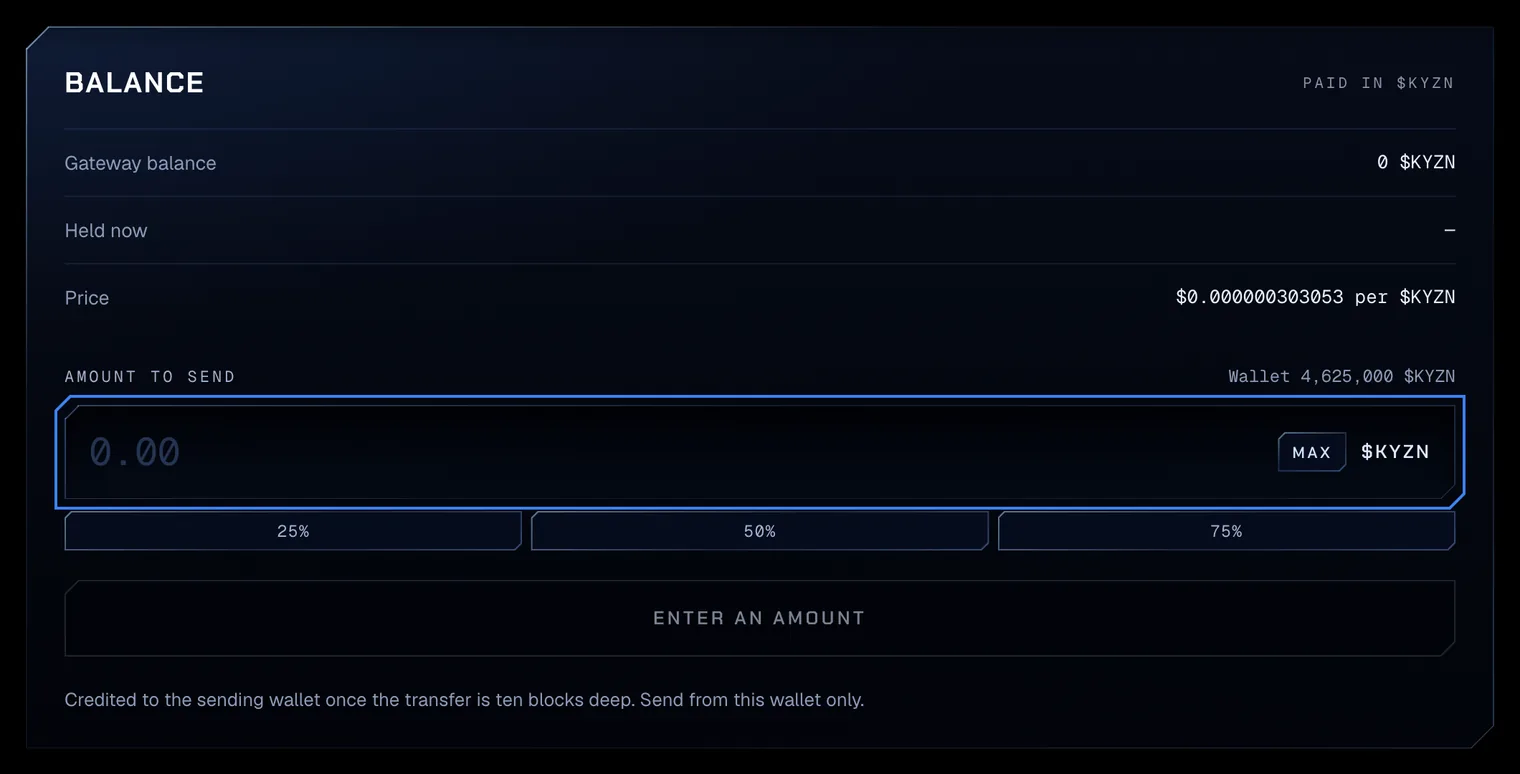
- 01Send $KYZN to the GatewayOpen Gateway in the app. The Balance card shows your Gateway balance, the $KYZN Held now for requests in flight, and the Price per $KYZN. Enter an amount in Amount to send and press Send $KYZN to the Gateway. The wallet asks for one transaction: a $KYZN transfer to the Gateway contract.
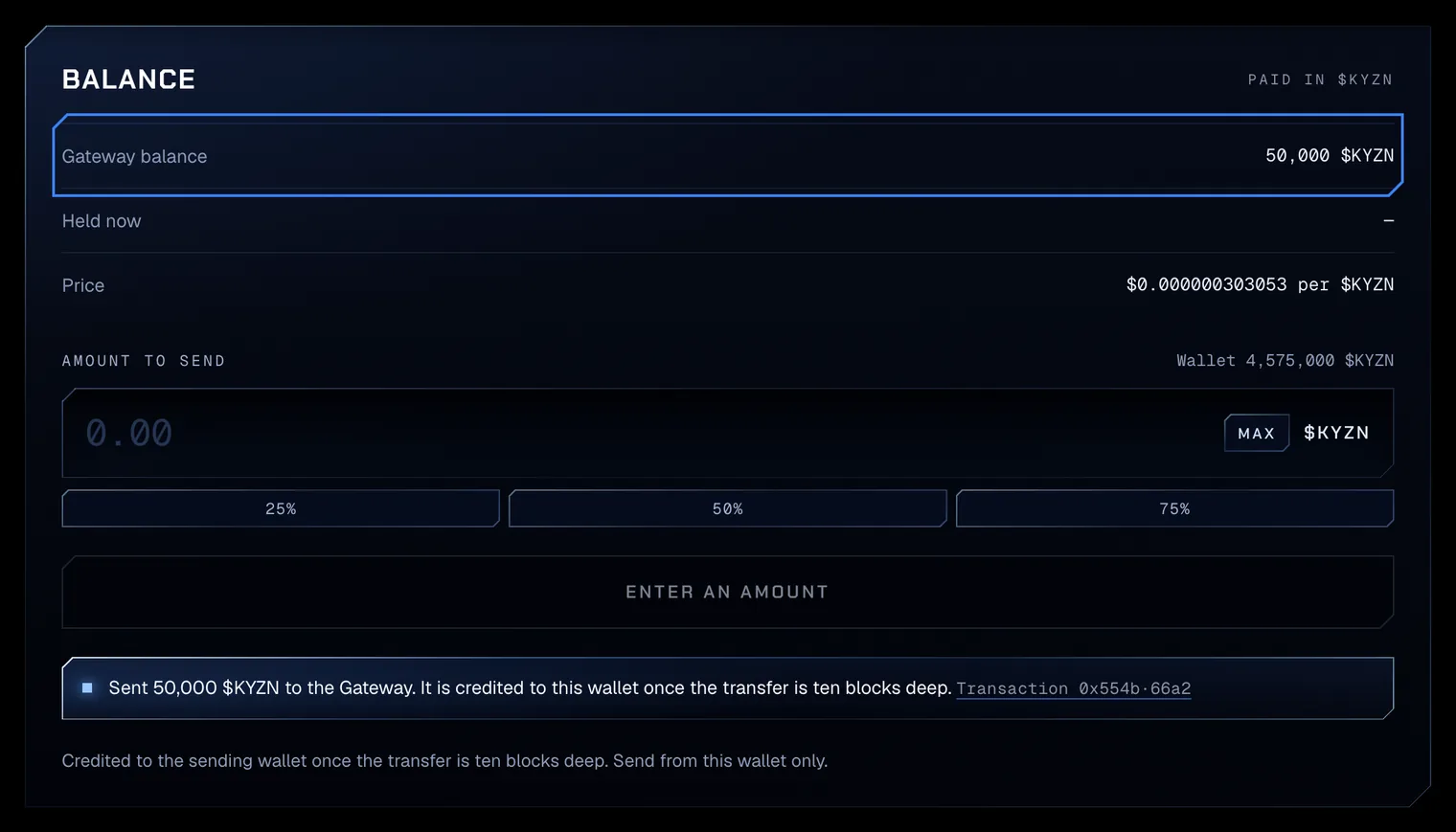
Test amounts on Robinhood Chain testnet. - 02Wait ten blocksThe line reads Sent 50,000 $KYZN to the Gateway. It is credited to this wallet once the transfer is ten blocks deep. Then Gateway balance shows the credit. The Gateway credits the wallet that sends, so send from the wallet the key belongs to. $KYZN routed into the contract straight from a pool buy is not credited.
Test amounts on Robinhood Chain testnet.
#Get a key
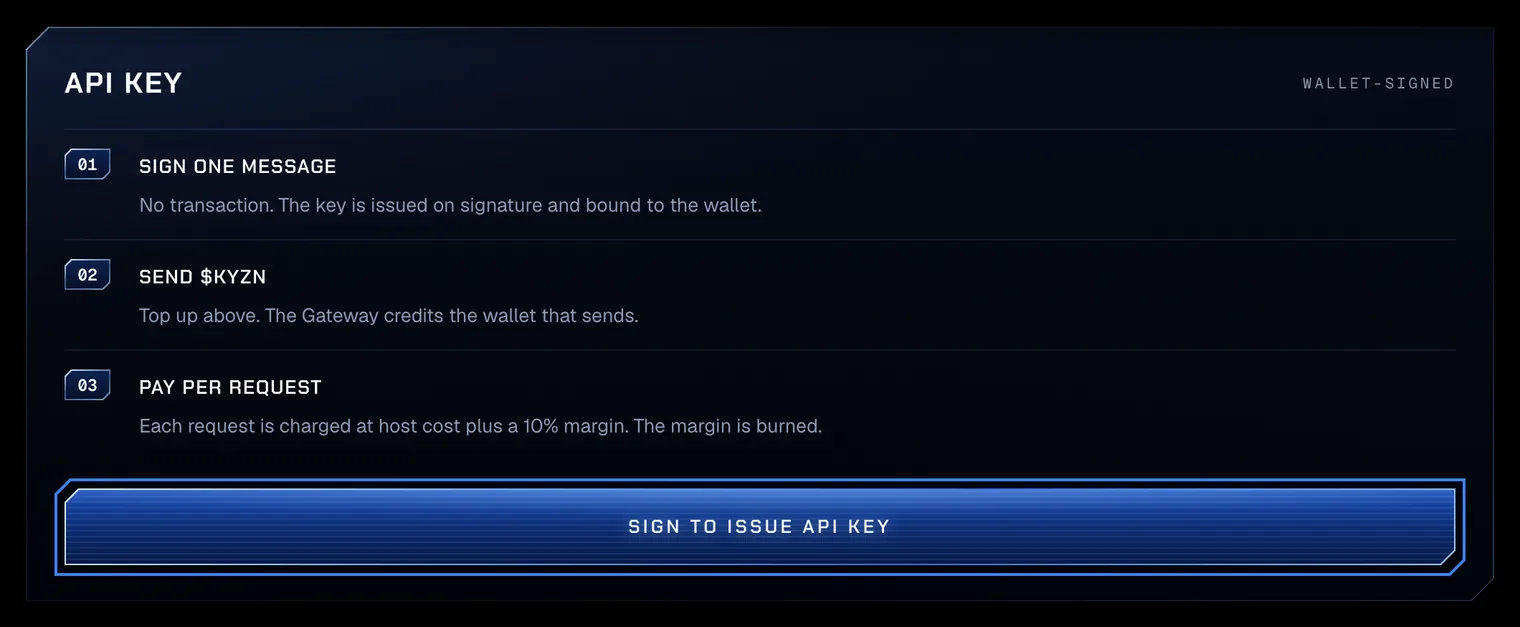
- 03Sign for a keyThe API key card lists the three steps: sign one message, send $KYZN, pay per request. Press Sign to issue API key and sign the message in the wallet. It is a signature, not a transaction, so it costs no gas. A wallet holds at most 5 active keys.
Test amounts on Robinhood Chain testnet. - 04Copy the key onceThe key appears in a box marked API key · shown once. Press Copy and store it where you keep passwords. The app never shows it again; a new signature issues another.

Test amounts on Robinhood Chain testnet.
#First request
- 05Send a request
Keep the key in an environment variable,
KYZN_KEY, so it never sits in code. The API follows OpenAI’s, so OpenAI’s client libraries work with the base URLhttps://app.kyzen.network/v1. The JavaScript sample is an ES module with top-levelawait: save it as a.mjsfile and run it with Node.js.First requestcurl https://app.kyzen.network/v1/chat/completions \ -H "Authorization: Bearer $KYZN_KEY" \ -H "Content-Type: application/json" \ -d '{"model":"pro","messages":[{"role":"user","content":"Which stage binds?"}]}'
| Tier | Model id |
|---|---|
| Pro | pro |
| Flash | flash |
The Gateway lists its models, with each one’s price per million tokens in dollars and in $KYZN, at /v1/models, with no key.
curl https://app.kyzen.network/v1/modelsEach request is charged from the host’s token counts at the host’s dollar rate plus 10%, in $KYZN at the median pool price of the last 15 minutes. With no fresh price, nothing is charged.
| Status | Code | Meaning |
|---|---|---|
| 401 | invalid_api_key | The key is missing, wrong or revoked |
| 402 | insufficient_balance | The Gateway balance cannot cover the request: top up in the app |
| 403 | region_closed | The request comes from a closed country |
| 403 | region_unconfirmed | The region cannot be confirmed: try again later |
| 404 | model_not_found | The model id is not offered: see /v1/models |
| 429 | rate_limit_exceeded | 60 chat completions in the last minute from this wallet |
| 429 | too_many_in_flight | 4 chat completions from this wallet already running |
| 503 | price_unavailable | No fresh $KYZN price: nothing is charged; try again shortly |
#Read usage
- 06Read the usage tableIn the app, Usage · Recent requests lists the wallet’s latest requests: Model, Tokens in, Tokens out and Charge in $KYZN. The app reads it with the key it issued, so the table shows while that page stays open. The capture shows testnet’s stand-in model; on mainnet the Model column names the tier id,
proorflash.
Test amounts on Robinhood Chain testnet. - 07Read it with the key
Any time,
/v1/accountwith the key gives the Gateway balance, the $KYZN held, the active keys, recent deposits and up to 50 recent charges, each with its model, token counts, charge and time.Accountcurl https://app.kyzen.network/v1/account \ -H "Authorization: Bearer $KYZN_KEY"
Prompts and answers are never stored or logged. Usage records keep the key, the model, the token counts, the charge and the time.